Skip to case study

Case study, education software

Coaching ERP

Admin dashboard
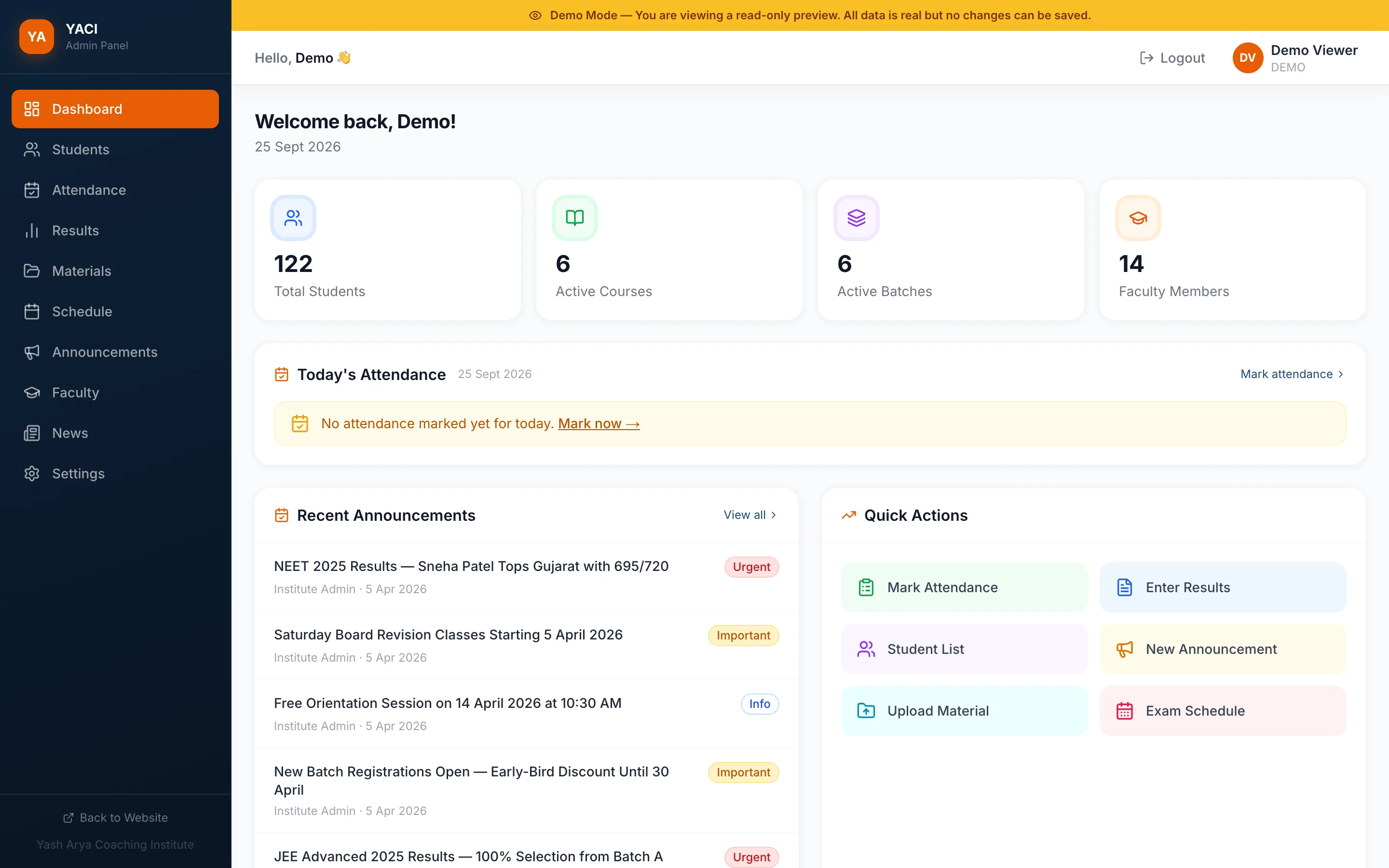
Coaching ERP admin dashboard with student, course, batch and faculty counts, today's attendance, announcements and quick actions

Coaching institutes run on registers, spreadsheets and WhatsApp groups. I designed one system that fills the batches and then runs them.

My role
Product design, full-stack build
Built with
Next.js, PostgreSQL on Neon, Google sign-in
Users
Admins, faculty, students
Status
Live demo

The brief

A coaching institute does the same jobs every day: mark attendance, post test marks, share timetables and send notices. Most do them by hand, in five different places.

The goal was a single web app that replaces that routine, and a public website that brings the students in.

The product is shown here with YACI, a demo institute I set up with sample students, faculty and results.

1 of 3

Design

Three kinds of people use it, each for a few minutes a day. Every screen had to get them in, done and out.

Start the day with what's missing

The admin dashboard doesn't open with charts. It opens with the day's first job: if nobody has marked attendance yet, it says so and links straight to it.

Below that sit the six tasks an admin does most, one tap each, and the latest announcements tagged Urgent, Important or Info so the right ones get read first.
Three roles, one system

Admins run everything. Faculty update attendance and post results for their batches. Students only ever see their own records. Each role gets its own dashboard, so nobody wades through menus they can't use.

What each role can do in each part of the system
AreaAdminFacultyStudent
Students and batchesManageNo accessOwn only
AttendanceManageUpdateOwn only
Tests and resultsManageUpdateOwn only
TimetablesManageNo accessOwn only
Announcements and newsManageNo accessOwn only

“Own only” means a student sees their own attendance and marks, plus notices and timetables for their batch.

Tables built for marking day

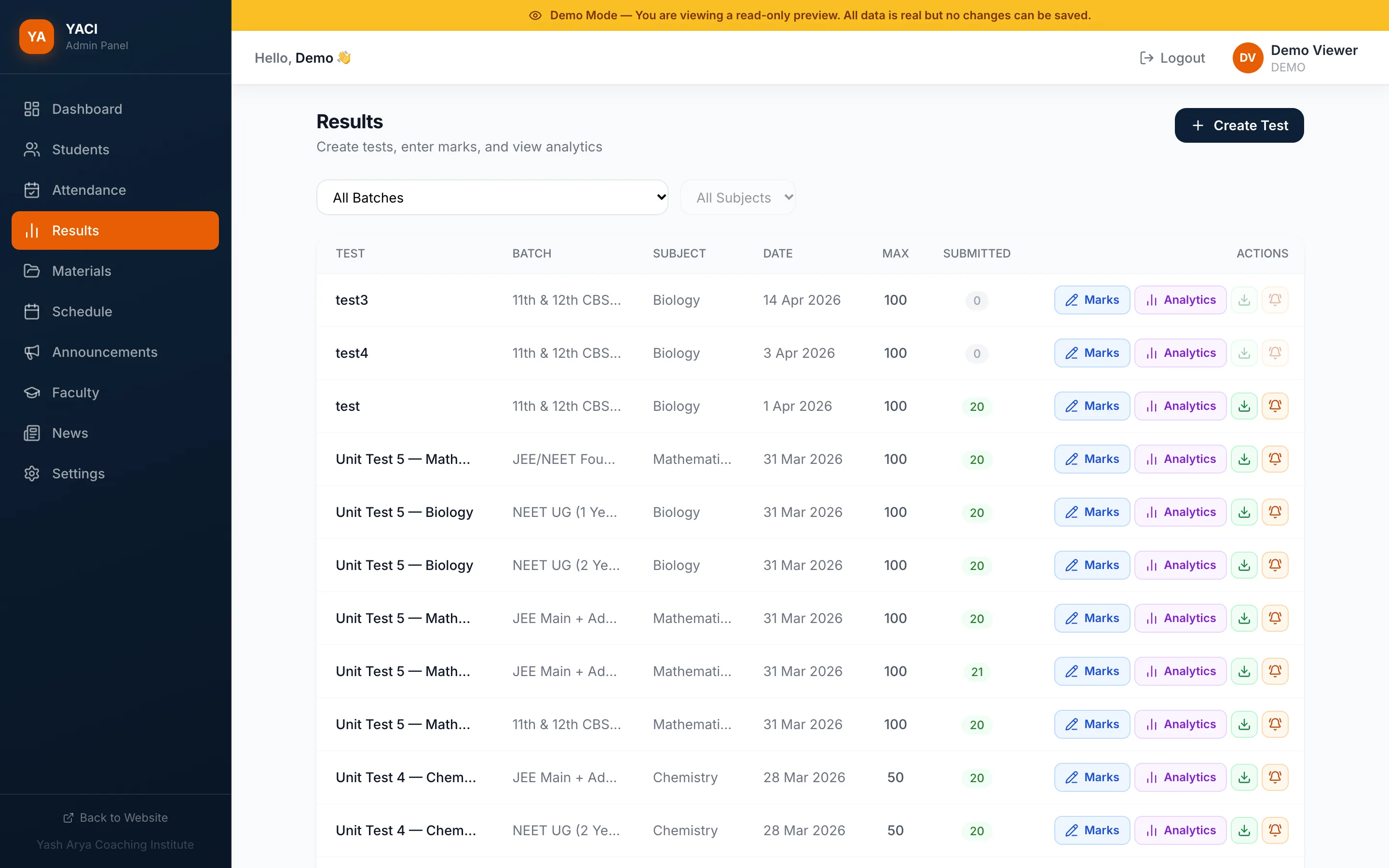
Results are where admins spend the most time. Tests are filtered by batch and subject, show how many students have submitted, and put the two actions that matter, entering marks and viewing analytics, on the row itself.

Results
Results screen listing tests by batch, subject, date and maximum marks, with Marks and Analytics actions on each row
Each test is one row, with marks entry and analytics right next to it.

2 of 3

Build

A full-stack app with real data, real roles and nothing to install.

Security lives on the server

Every request is checked against the user's role before any data is read, so a faculty account can't reach admin tools and no student can see another student's data.

Sign-in is Google only, and only for accounts the institute has registered. That means there are no passwords to reset and no strangers signing up.

    • Public website

      Courses, faculty, results, admissions, WhatsApp enquiries

    • Read-only demo

      The full admin panel, no account needed

    • Google sign-in

      Only accounts the institute has registered

    • Admin

      Ten modules, from students to settings

    • Faculty

      Attendance and results for their batches

    • Student

      Their own dashboard

    • Next.js server

      Role check on every request

    • PostgreSQL on Neon

      Students, batches, attendance, tests, marks, notices

Coaching ERP system: the public website and a read-only demo sit alongside Google sign-in, which routes admins, faculty and students to their own dashboards, all served by a Next.js server with role checks on a PostgreSQL database.

3 of 3

Grow

Software for an institute is only worth it if the batches are full. So the public site is built to sell seats.

The website sells the seats

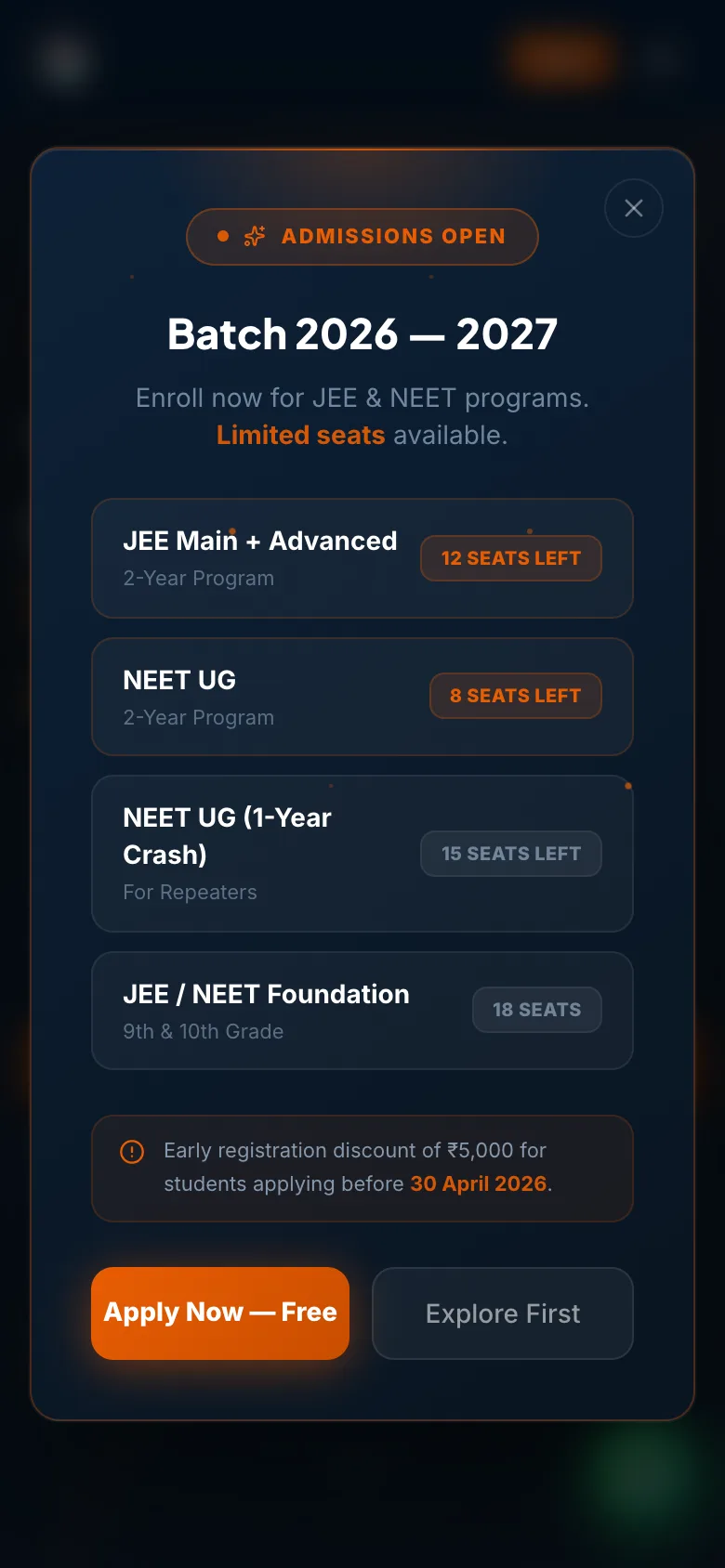
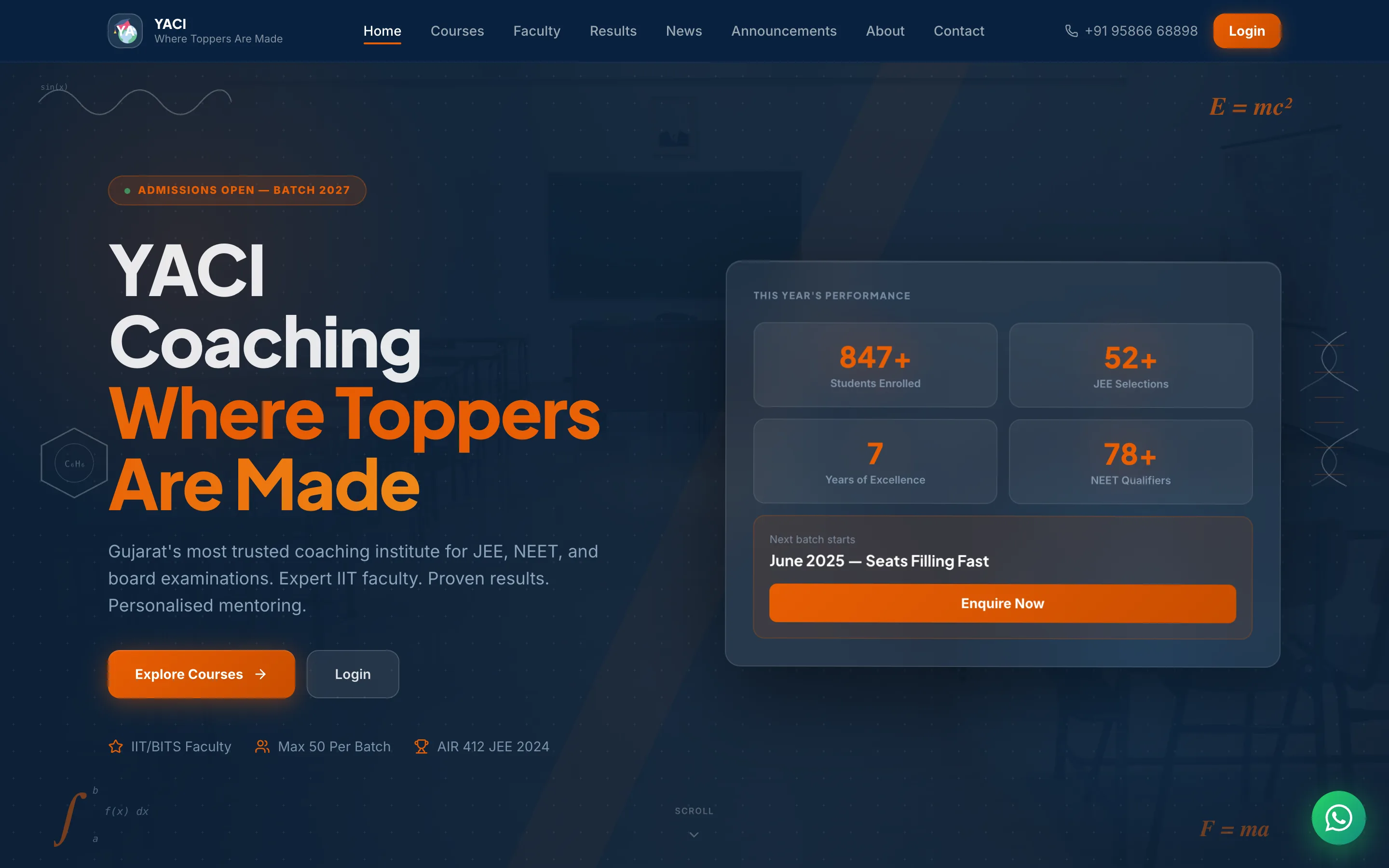
Parents decide on trust. The public site puts results, faculty and batch sizes first, and every page ends in an enquiry. The admissions popup shows seats left for each program and the early-bird deadline, and the WhatsApp button opens a chat with the enquiry already written.

Public website
YACI coaching website hero with the headline 'Where toppers are made', admission highlights and an enquiry panel
Results and the next batch date sit in the hero, with enquiry one click away.

A demo that sells the software

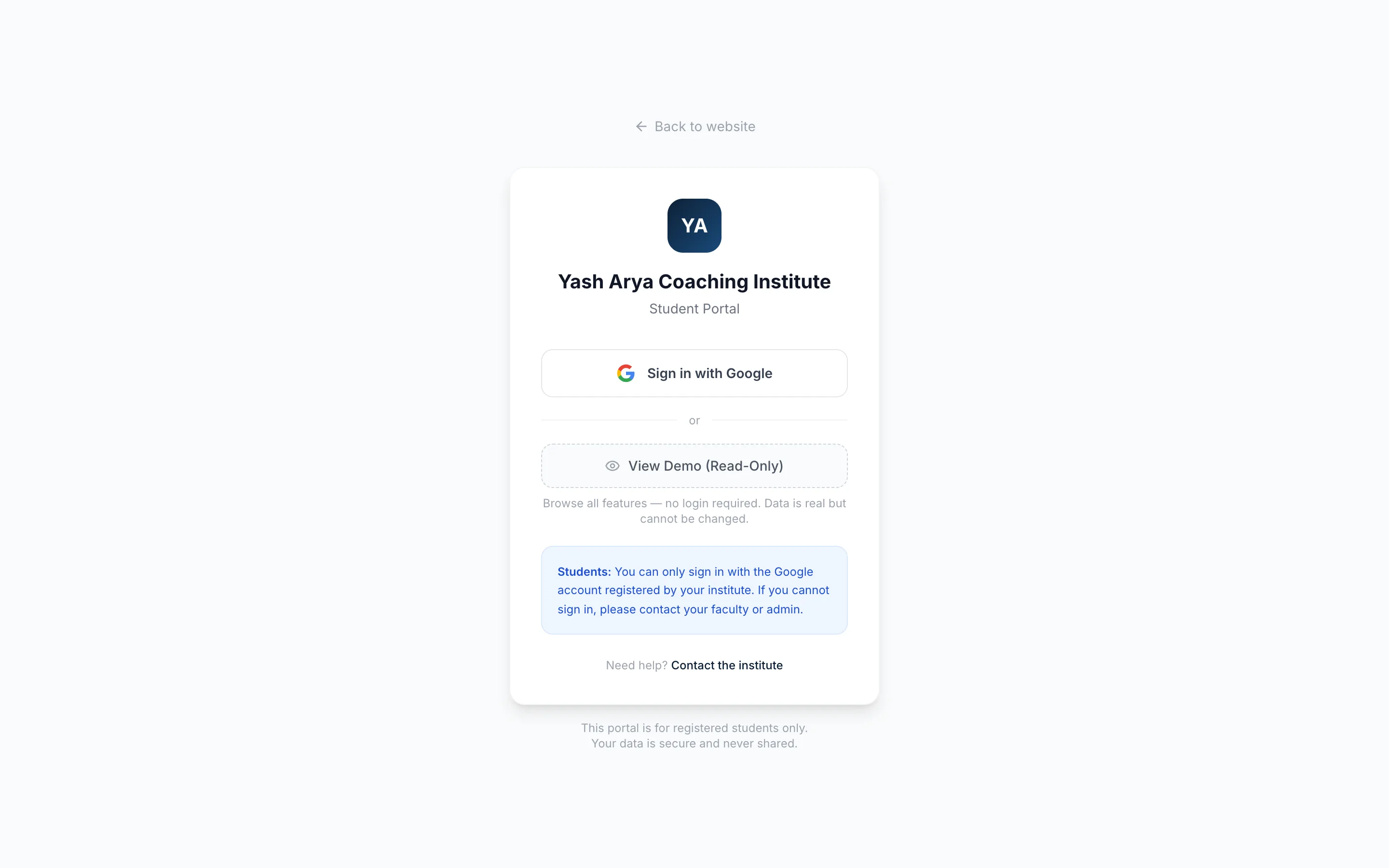
An institute owner won't buy software they can't try. The sign-in screen has a read-only demo that opens the full admin panel with sample data and no account. Nothing can be changed, so it's safe to share the link with anyone.

Sign in
Student portal sign-in screen with a Sign in with Google button and a View Demo (Read-Only) option
One Google button for real users, and one for anyone who just wants to look around.
Coaching website on a phone
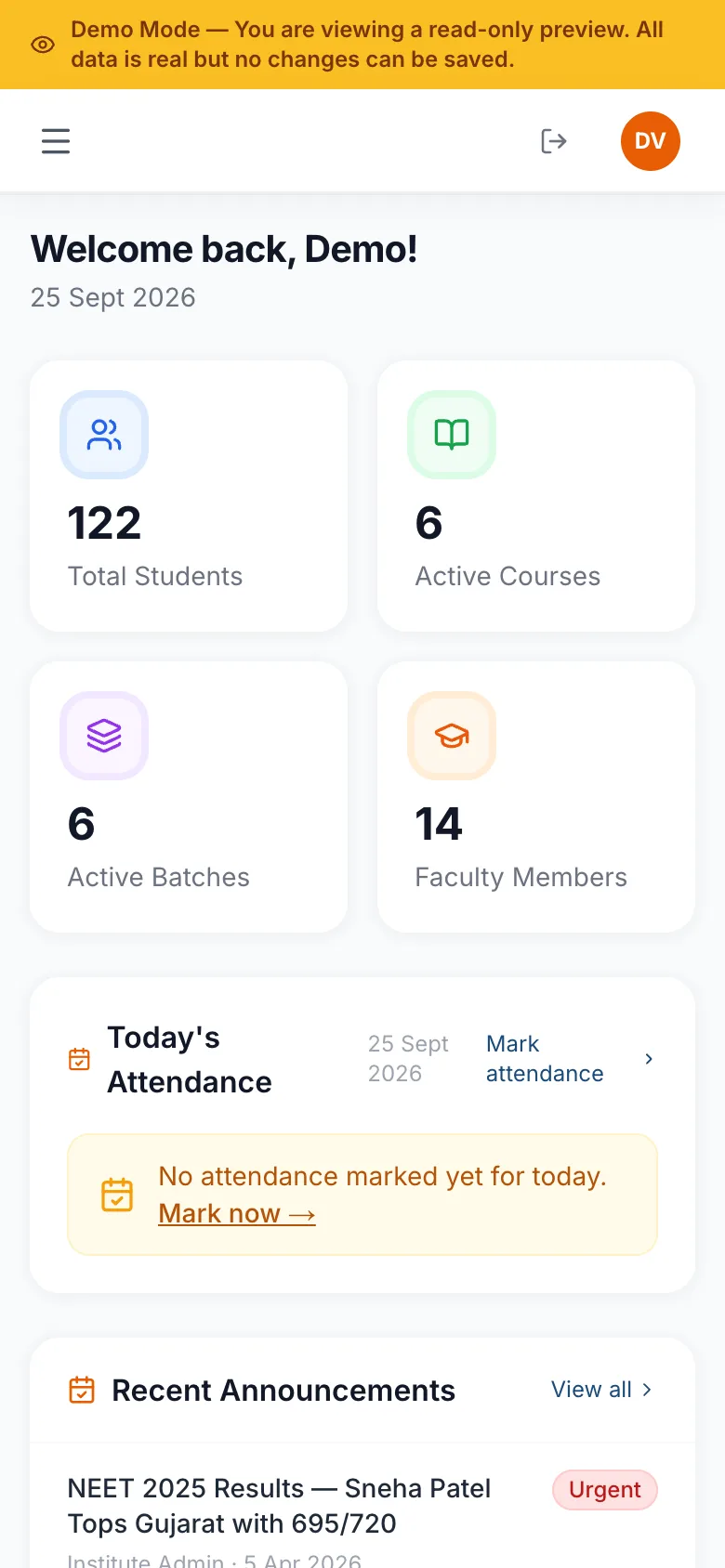
Coaching ERP admin dashboard on a phone

The website and the admin panel on mobile. Admins can mark attendance from the classroom.

“In education, parents buy trust before they buy courses. The website's job is to build that trust in ten seconds.”

Next case study

EdgeTest

A fintech product that turns one sentence into a 10-year backtest.

Chat on WhatsApp